
BUNDLE DISCOUNTS

Total price:
Total price: $44.96 $31.46
You are saving: $13.50
This item: 3D Printed DIY Sim Racing Pedals – CAD Plans
Original price was: $14.99.Current price is: $10.49.
Original price was: $9.99.Current price is: $6.99.
Glozin
Professional CAD Files
Glozin
24/7 Free Support & Help Section
Glozin
Step-by-Step Tutorials
Glozin
Save Money
Glozin
Beginner-friendly
Glozin
Instant download

Description

Why Choose Our DIY sim Racing Pedals

Built For Strength & Resilience

These pedals are engineered to handle serious force — especially the brake pedal, which is designed for high-pressure load cell braking. And if a part ever wears out? Just reprint it and keep racing. Durability is in your hands.

Made For All Skill Levels

No advanced skills needed. With our step-by-step tutorial and detailed documentation, assembling your pedal set is straightforward, intuitive, and honestly… pretty fun. If you can follow instructions, you can build these pedals.

Fully Adjustable to Your Driving Style

Dial in the perfect feel by tweaking pedal hardness, end-stop limits, and footrest position. Whether you’re a smooth GT driver or a heavy-braking rally racer, you can fine-tune every mechanical detail.

A Project You’ll Be Proud Of

There’s nothing quite like racing with hardware you built yourself. Every corner, every lap, every victory feels better when you engineer the pedals under your feet. That sense of accomplishment doesn’t come in a box.

A Smart, Cost-Effective Upgrade

By making your own pedals, you save significant money compared to buying one. Build more, spend less, and customize endlessly.

Here for You Anytime

Got questions? Stuck on a step? We provide dedicated support with responses within 48 hours. Our goal is simple: every customer finishes their project with success.

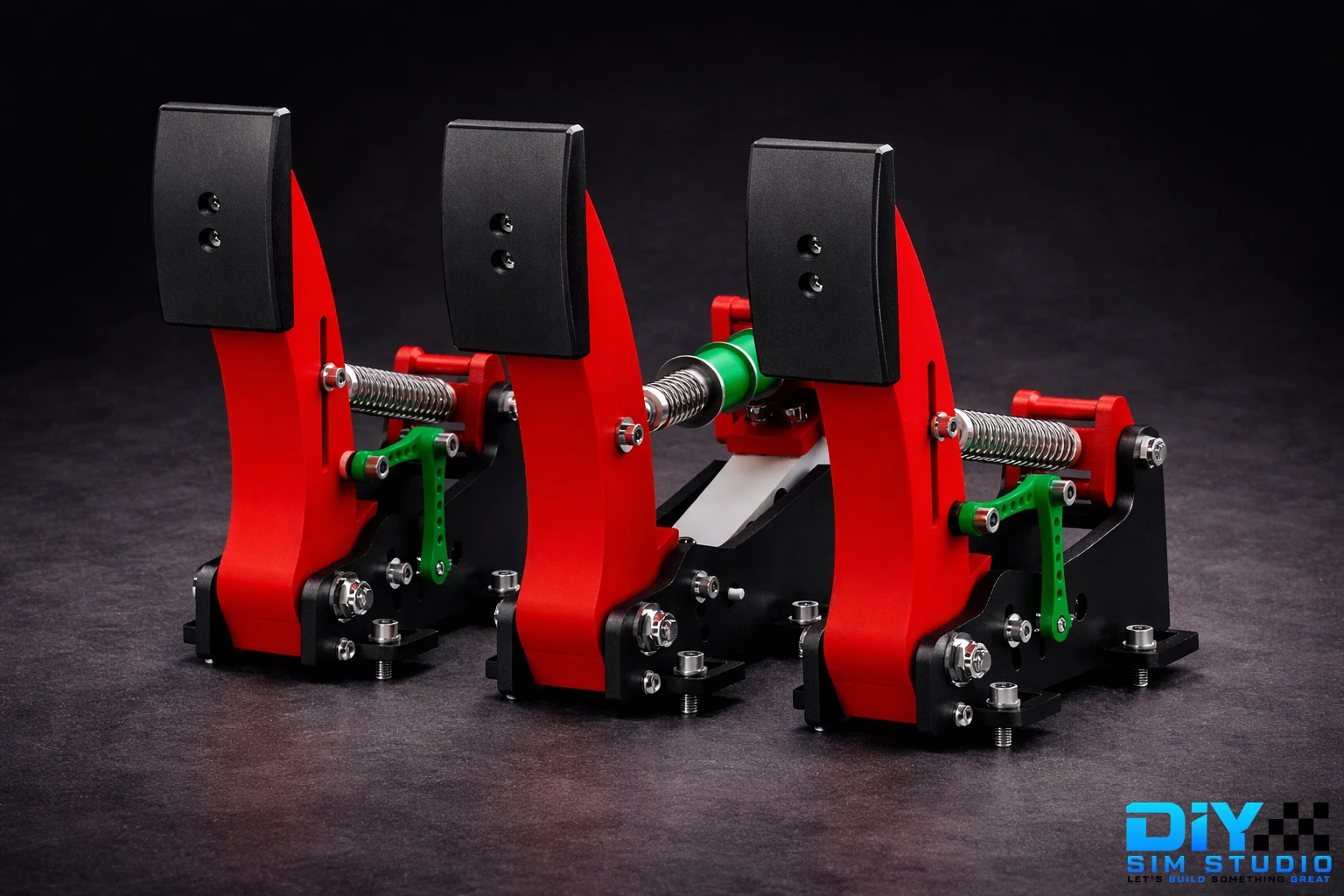
DIY Sim Racing Pedals SET

THROTTLE AND CLUTCH PEDALS

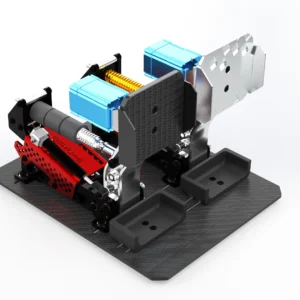
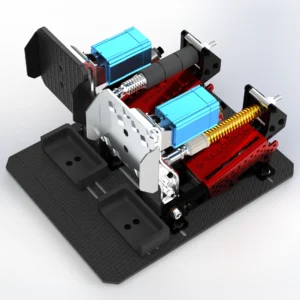
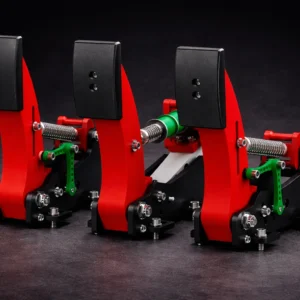
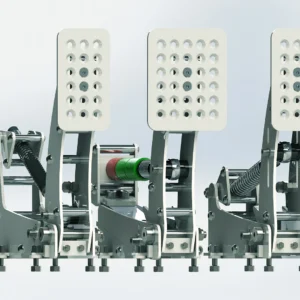
The throttle and clutch pedals are linear, you can adjust the hardness, angle, stop and the footrest position. Concerning electronics, it’s a potentiometer fixed by two levers with a very solid structure.
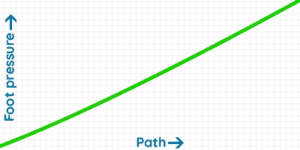
Throttle Sim Pedal

AR is not supported on this device

BRAKE PEDAL

Load cell pedals provide precise and realistic braking force, improving your control and immersion in the game. The brake is made up of one spring and many elastomers which enables the two stages of braking: soft then hard.

The feeling is adjusted by changing the combination of elastomers and/or by tightening the spring. The technology is similar to the Handbrake Load cell. The pedal is designed to take more than 100kg of pressure! Concerning electronics, it will be a 120kg pressure sensor.
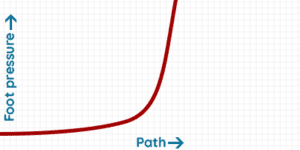
Brake Sim Pedal

AR is not supported on this device
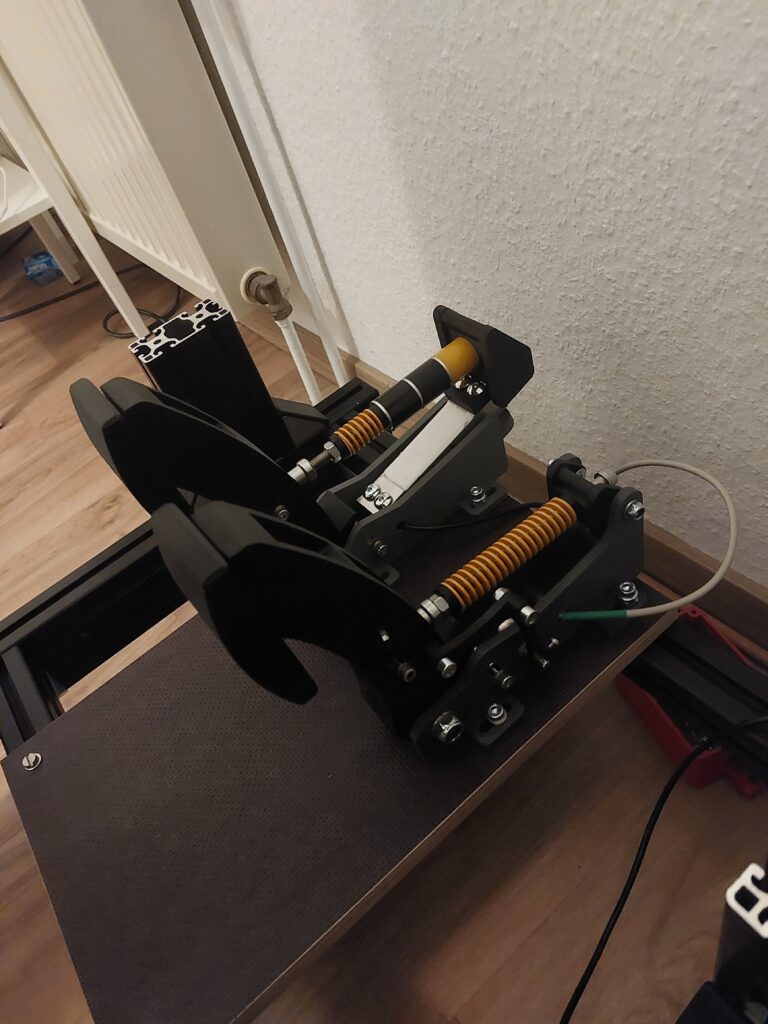
3d printed pedals
Linear Throttle & Clutch Pedals → Smooth and predictable pedal travel for precise control.
Adjustable Pedal Geometry → Customize pedal angle, travel, stop position, and footrest placement.
High-Strength Pedal Arms → Reinforced structure designed to withstand intensive sim racing use.
Two-Stage Brake System → Spring + elastomer combination for soft initial travel and hard braking phase.
Potentiometer-Based Throttle & Clutch → Reliable potentiometer system with dual-lever mounting for stability.
Designed for >100kg Pedal Force → Brake pedal engineered to handle extreme pressure.
"In regards to the 3D printed version I will say I try to beat these up so hard, I smashed on them, I really figured they would break they just didn't in my testing."
simpit logo
Shaun Cole
The SimPit
  • You are going to download a file (CAD models of the 3D-Printed Sim Racing Pedals), we don’t sell physical product.
  • After your purchase, you will be able to download your file in your member area (Account > Downloads)
  • This product is protected by Licence, you are not authorized to sell or share it.

MATERIAL SELECTION

The strength and durability of the pedals largely depend on the material used. High-quality filaments such as PLA offer excellent strength and resilience, making the pedals capable of withstanding significant pressure and stress. Here are recommendations for printing 3D solid parts.

Looking for high-quality 3D printing services? With Treatstock, you can easily get instant quotes from professional manufacturers worldwide. Upload your design today and get your free, no-obligation quote in minutes! 👉 Get Your Quote Now

DESIGN OPTIMIZATION

3D printing allows for intricate designs with optimized geometry. This means that the 3D printed sim pedals is designed with reinforced structures that provide additional strength without adding excessive weight. The longest part that need to be printed is 220mm.

CUSTOMIZATION AND MAINTENANCE

One advantage of 3D printing is the ease of maintenance and customization. If a part of the pedal wears out or breaks, it can be easily reprinted and replaced. This ensures the overall durability of the pedal system is maintained over time.

AR is not supported on this device

Springs and Elastomers

Throttle Spring

  • Quantity: 1
  • Length: 90mm, Diameter: 20mm

Throttle Spring alternative

  • Quantity: 1
  • Length: 20x10x90mm
  • Color: Yellow

Brake Spring 

  • Quantity: 1
  • Length 30mm, Diameter 20mm

Brake Spring alternative  

  • Quantity: 1
  • Length: 20x10x20mm
  • Color: Yellow

Clutch Spring 

  • Quantity: 1
  • Color: Brown
  • Length: 20x10x100mm

3D Printed Edition Clutch Spring 

  • Quantity: 1
  • Color: Yellow
  • Length: 20x10x90mm

Bushing/Elastomers

  • Quantity: 2 minimum
  • Option: 85A or/and 90A

Alternative Bushing/Elastomers

  • Quantity: 2 minimum
  • Option: 85A or/and 90A

Electronics SHOPPING LIST

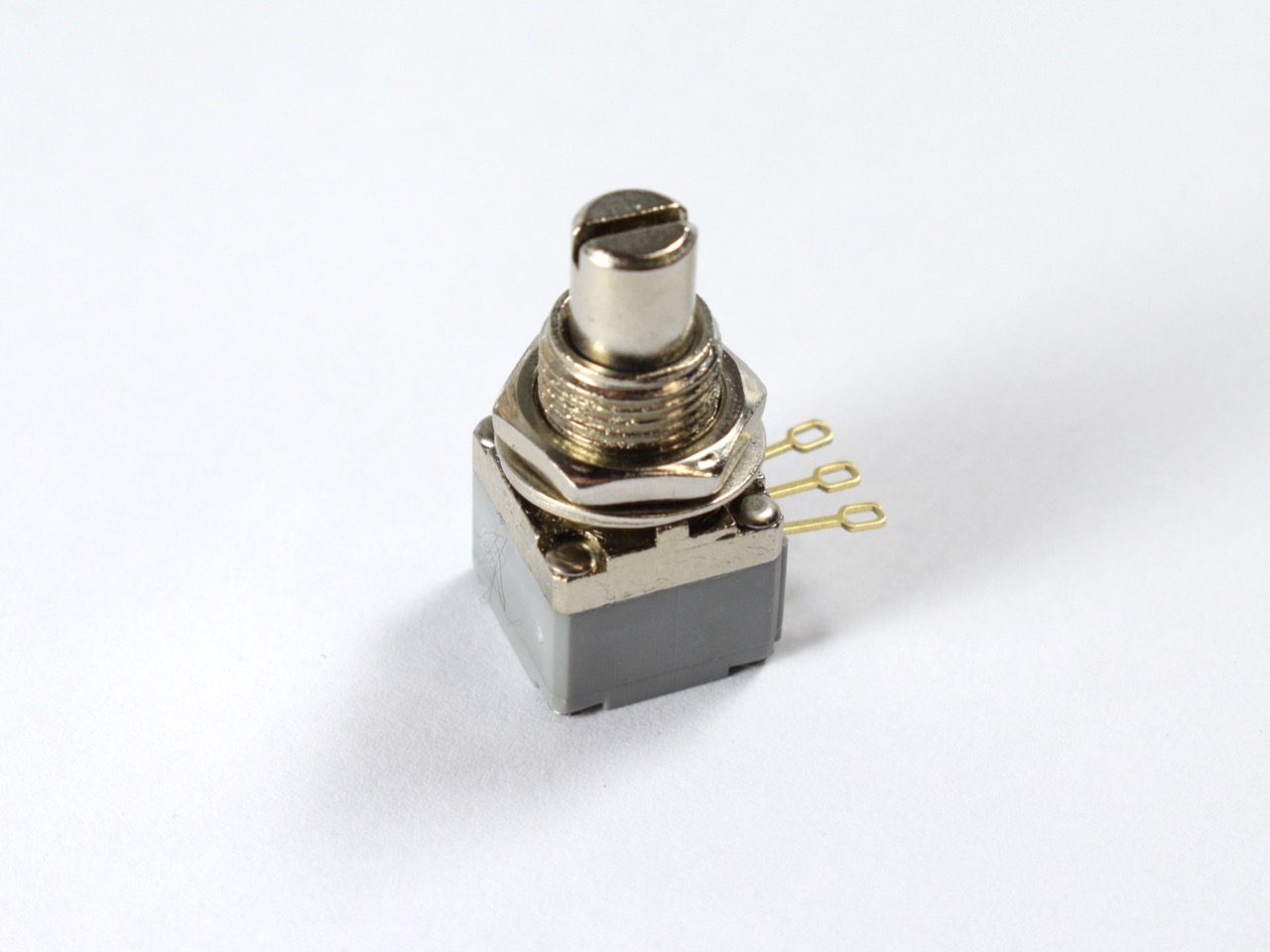
P260 potentiometer

  • Quantity: 2


Potentiometer alternative 

  • Quantity: 2
  • Resistance: 10k Ohm
  • Note: you need M8 washer to fix this potentiometer

Brake Load Cell

  • Quantity: 1
  • Weight: 120kg

Brake Load Cell alternative #1  

  • Quantity: 1
  • Weight: 100kg

Brake Load Cell alternative #2 

    • Quantity: 1
    • Weight: 100kg

Brake Load Cell alternative #3 

    • Quantity: 1
    • Weight: 100kg

BU0836-LC USB Board

  • Quantity: 1


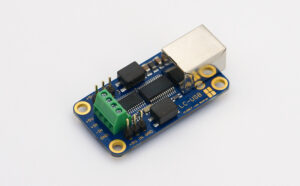
LC-USB Board (alternative #1)

  • Quantity: 1


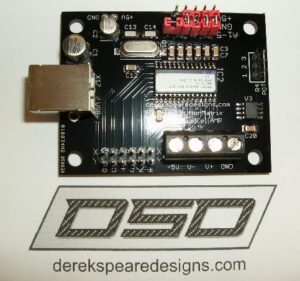
DSD 12 Bit USB Board (alternative #2)

  • Quantity: 1
  • Option: 12 Bit Controller with AMP

Arduino Leonardo USB Board (alternative #3)

  • Quantity: 1
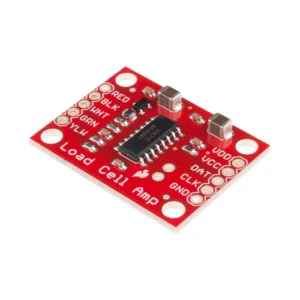
  • Note: compatible only with HX711 Loadcell Amplifier

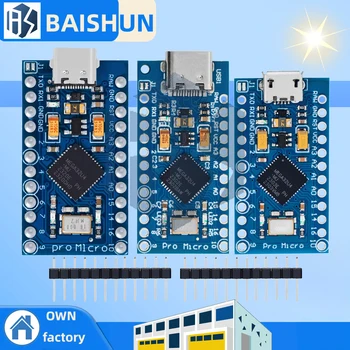
Arduino Pro Micro USB Board (alternative #4)

  • Quantity: 1
  • Option: Micro USB
  • Note: compatible only with HX711 Loadcell Amplifier
Shielded cable for Potentiometers 

  • Quantity: 1
  • Specification: 3 cores 5 meters

Aviation Circular Connector GX12

  • Quantity: 3
  • 3P for Throttle and Clutch
  • 4P for Brake

Tools SHOPPING LIST

Find what you need in the DIY Tools section.

Hardware Screws

SIM RACING DIY PEDALS Required Screws

Customer Reviews

Powered byCusRev
5.0
Based on 11 reviews
5 star
100
100%
4 star
0%
3 star
0%
2 star
0%
1 star
0%

Customer Images

Image #1 from Michael M.
Image #2 from Michael M.
Image #3 from Michael M.
Image #1 from Bartłomiej Wojtaszewski
Image #2 from Bartłomiej Wojtaszewski
Image #1 from Jonas Feder
Image #2 from Jonas Feder
Image #3 from Jonas Feder
Image #4 from Jonas Feder
Image #1 from Michael M.

Michael M.

Solid pedals! HUGE upgrade from my previous set and love the load cell sensor. Directions are straight forward and overall easy to follow. Make sure to watch the videos as well. You may have to get creative with a few different types of bolts if they are not available in your area, but its a solid design.

(1) (0)
Image #2 from Michael M.

Michael M.

Solid pedals! HUGE upgrade from my previous set and love the load cell sensor. Directions are straight forward and overall easy to follow. Make sure to watch the videos as well. You may have to get creative with a few different types of bolts if they are not available in your area, but its a solid design.

(1) (0)
Image #3 from Michael M.

Michael M.

Solid pedals! HUGE upgrade from my previous set and love the load cell sensor. Directions are straight forward and overall easy to follow. Make sure to watch the videos as well. You may have to get creative with a few different types of bolts if they are not available in your area, but its a solid design.

(1) (0)
Image #1 from Bartłomiej Wojtaszewski

Bartłomiej Wojtaszewski

Very good and budget friendly project. Any question was quickly answered by author. I can recommend it to everyone

(2) (0)
Image #2 from Bartłomiej Wojtaszewski

Bartłomiej Wojtaszewski

Very good and budget friendly project. Any question was quickly answered by author. I can recommend it to everyone

(2) (0)
Image #1 from Jonas Feder

Jonas Feder

Great work :) the 3d printed pedals are a solid choice! The build is a two pedal version, without a clutch. My T3pa pedals are like a toy in comparision. The whole project was a great experience and the support from Diysimstudios was more than awesome :)) any question was answered very quickly via Email. Highly recommend to do that diy project. Best regards and have fun ;-) Jonas

(4) (0)
Image #2 from Jonas Feder

Jonas Feder

Great work :) the 3d printed pedals are a solid choice! The build is a two pedal version, without a clutch. My T3pa pedals are like a toy in comparision. The whole project was a great experience and the support from Diysimstudios was more than awesome :)) any question was answered very quickly via Email. Highly recommend to do that diy project. Best regards and have fun ;-) Jonas

(4) (0)
Image #3 from Jonas Feder

Jonas Feder

Great work :) the 3d printed pedals are a solid choice! The build is a two pedal version, without a clutch. My T3pa pedals are like a toy in comparision. The whole project was a great experience and the support from Diysimstudios was more than awesome :)) any question was answered very quickly via Email. Highly recommend to do that diy project. Best regards and have fun ;-) Jonas

(4) (0)
Image #4 from Jonas Feder

Jonas Feder

Great work :) the 3d printed pedals are a solid choice! The build is a two pedal version, without a clutch. My T3pa pedals are like a toy in comparision. The whole project was a great experience and the support from Diysimstudios was more than awesome :)) any question was answered very quickly via Email. Highly recommend to do that diy project. Best regards and have fun ;-) Jonas

(4) (0)
Image #1 from Michael M.
Image #2 from Michael M.
Image #3 from Michael M.
Image #1 from Bartłomiej Wojtaszewski
Image #2 from Bartłomiej Wojtaszewski
Image #1 from Jonas Feder
Image #2 from Jonas Feder
Image #3 from Jonas Feder
Image #4 from Jonas Feder
1-8 of 11 reviews
  1. (1) (0)
  2. Perfekt!

    (0) (0)
  3. Parfait, rien a dire.

    (0) (0)
  4. Very nice option to initiate in a cheap way to professional sim racing.

    (1) (0)
  5. Works very well and was easy to assemble, maybe for next version I would lessen the amount of different sized screws, since that was the most time consuming part of the build. actually finding and buying the right fasteners.

    (1) (0)
  6. Solid pedals! HUGE upgrade from my previous set and love the load cell sensor. Directions are straight forward and overall easy to follow. Make sure to watch the videos as well. You may have to get creative with a few different types of bolts if they are not available in your area, but its a solid design.

    Image #1 from Michael M.
    Image #2 from Michael M.
    Image #3 from Michael M.
    (1) (0)
  7. (1) (0)
  8. Excellent

    (1) (0)
Add a review
You must be logged in to post a review Log In

Post here your issues or your questions, I will answer you as soon as possible.


Guest
Jonas Feder
2 years 9 months ago

Hello, is it possible to build the 3d model without the clutch? Best regards, Jonas

Support
2 years 8 months ago

Hi Jonas,
Thanks for your purchase.
You can of course build the pedal without the Clutch.
Have fun ! 😉

Guest
Timm Schipper
2 years 9 months ago

Hello,

I bought the 3d print version and also downloaded the files. Unfortunately I can only find a list of the required screws. But I can’t find what kind of load cell module I need anywhere.

Greetings Timm

Support
2 years 8 months ago

Hi Timm,
Thanks for your purchase.
The loadcell is listed in the “PARTS BUYING GUIDE: ELECTRONICS” section of the pedal description.
Brake Loadcell [Quantity: 1] [Option : 120kg] : https://fr.aliexpress.com/item/32832590009.html?spm=a2g0s.9042311.0.0.27426c37Jh5N91
Have fun ! 😉

Guest
JV
2 years 8 months ago

Hello,
I just bought the 3d print version as well and I do no see the “PARTS BUYING GUIDE: ELECTRONICS” section of the pedal description” anywhere in the contents of files downloaded or the website.

Support
2 years 8 months ago

Hello,
Thanks for your purchase.

The list is here : https://diysimstudio.com/produit/diy-sim-racing-pedal/

Best regards,
DIY SIM STUDIO

Customer
Victor Oliveira
2 years 2 months ago

Hello,
Should I print same orientation as the files shows?

Support
2 years 2 months ago

Hello,

You must use the 3D printing software to simulate your 3D printing, the software will give you the best parameter for print the parts.

Best regards,
DIY SIM STUDIO

Customer
Victor Oliveira
2 years 2 months ago

wat orientation or rotation did you use to print the mobile parts? did you print the mobile parts standing or layed flat? im struggling to add supports to it

Support
2 years 1 month ago

For the mobile parts, I recommend you to print them in the flat side orientation.

Best regards,
DIY SIM STUDIO

Guest
Brayton Thompson
1 year 9 months ago

Hello i was wondering if you had any tips for the 3d printed version. I get a lot of side to side motion from the pedal. It looks like the M10 bolt that acts as the rotation axis doesn’t fit the hole well and there is some (especially over the threaded section where the pedal arm can move up and down on the bolt. I also get a lot of groaning when applying pressure to the pedal. Like something is binding? Perhaps the m10 bolt again?

Support
1 year 9 months ago

Hello,
If you can’t put your M10 bolt in the hole, you need to make a 10mm hole diameter with a electric drill. I designed the 3D Mobile part with a 10.6mm hole to avoid this issue.

Guest
Naren
1 year 7 months ago

Hello, I’m having the same issue as Brayton, I think what they were trying to say was that the M10 hole was too big, not too small. Because of this, the pedals shift left and right and it makes the whole thing very unstable. Is there any way to fix this?

Support
1 year 6 months ago

Hello Naren,

The hole is 10mm with 0.6mm of tolerance.

If you have lateral instability for the mobile part, you need a M10 LOCK NUT to tighten the M10 axis bolt.

You will need to tighten enough to avoid lateral instability, but not too much.

Best regards,
DIY SIM STUDIO

Guest
Facundo Matias Beron
1 year 9 months ago

I would like to know in the 3D version what the recommended orientation is for each piece.
It is not a minor fact since they are mechanical parts and the software does not do it correctly automatically.
Could you share the position in which you print each of the main parts? Thank you in advance!

Support
1 year 9 months ago

Hello,
For the mobile and fixed parts, you need to print them in the side face. You will have to manage the support in your software. More informations here : https://www.tomshardware.com/how-to/choose-3d-printing-supports

Guest
Frederick Blake
1 year 8 months ago

Hi, I am currently building your 3d pedals, and trying to upload the sketch to the arduino, however it is not able, as the IDE cannot find “pluggableUSB.h”
I was wondering if you could advise?
Regards,
Fred

Support
1 year 8 months ago

Hi Frederick,

Did you try to delete and install Arduino? Have installed Hx711 and Joystick library?

Best regards,
DIY SIM STUDIO

Guest
Frederick Blake
1 year 7 months ago

ME again, previous issue has been fixed, had been using a fried board, replaced with a leonardo, however when checking on diview im not getting any readings from the board?

Support
1 year 7 months ago

Hello Frederick,

Did you use an DATA usb cable ?

The Arduino compilation was successful?

Did you try the Windows Joystick Controller?

Best regards,
DIY SIM STUDIO

Guest
Frederick Blake
1 year 7 months ago

in answer, yes, yes and yes. the pots are wired in 5v ground and signal with each signal wire going to A0 and A1 respectively, yet no signal seems to be getting to either diview or windows joystick controller. The board is working fine, as when testing the pots in the serial monitor with a basic print serial sketch it works fine.

Support
1 year 7 months ago

Can you send me photos of your soldering? The mail : diysimstudio@yahoo.com

Best regards,
DIY SIM STUDIO

Guest
Sarthak
1 year 6 months ago

Hello how much 3d printing is in kills total? Without base and clutch

Support
1 year 6 months ago

Hello,

If you buy a 3D Printer (in treatstock for exemple), the cost is about 50-70€.

If you print the parts yourself with your own 3D printer, the cost will be much cheaper (you will just have to count the price of your filament).

Best regards,
DIY Sim Studio

Guest
Sarthak
1 year 6 months ago

I mean kilos sorry I’m getting it 3d printed from someone to wanted to know the cost before buying it thank you!

Support
1 year 6 months ago

This will depend on the printing parameters (filling, finishing, etc.). But you need to count between approximately 1000g and 1500g.

Best regards,
DIY Sim Studio

Guest
Shakhriyor Turdiyev
1 year 5 months ago

Hello! I wounder what different between P260 and BK potentiometers?

Support
1 year 5 months ago

Hello,

P260 are high end potentiometer, , BK are cheap potentiometer but they work perfectly.

Best regards,
DIY SIM STUDIO

Guest
Faddey Baromenskiy
1 year 4 months ago

Hello, how much space should be between the pedals when mounting to an surface?

Support
1 year 4 months ago

Hello,

I recommend 4 to 5 cm between each pedal, but it is up to you to adjust this spacing as you wish.

Best regards,
DIY SIM STUDIO

Guest
Jesper
1 year 2 months ago

Hello! Future customer here! Looking at DIY’ing pretty much an entire setup, and having planned it out, I’m looking to ask:
What type of filament would i need to procure, and how much?
This would be very useful information for me to have ahead of time, so I can buy the right stuff, and coincidentally also use it in the rest of my setup.
Thank you in advance!
/Hoverbike

Support
1 year 2 months ago

Hello Jesper,

The filament recommanded is Pla, with a infill between 20% and 100%. You can use another material if you want.

For the quantity, I can’t give you a weight, sorry, this may vary depending on the material chosen and the infill percentage.

But the price of 3D filament of the 3D Printed Pedals is not very high, it is quite accessible.

I hope I have answered your questions.

Best regards,
DIY Sim Studio

Customer
Jesper Hansen
1 year 1 month ago

Hello, I’m back again. Sorry for the very long response time, but the process of gearing up for this project is taking some time. I have just taken delivery of my Creality Ender 3 V3 KE, and I’m having fun printing with it. Already printed my cat a batman mask 😂

I am now in the process of procuring a bench drill. Also building an FFBeast wheel! Gonna be a full on DIY SIM! I hope to get it in about half a week.

My question regarding filament didn’t have to be accurate. Name a maximum estimated amount, and I’ll round it up. I’m simply asking to avoid ordering too little filament. It sounds like about 1.5kg is what you estimated, so I will order 3kg. Should also cover the FFBeast enclosure, and leave me some filament for more stupid stuff like batman masks for cats 😂

I return because I have now paid as promised, and, looking through the shopping lists, I am really happy to see all the alternatives, however, I find that there are a few things that are unclear:
Filament colour is obviously optional, but, what about filament strength? The recommended #1 seller looks great, but he sells both PLA, PLAPLUS and Silk. These are all PLA’s, and from what I can read, they each are more flexible than the last. However, flexibility often comes at the cost of rigidity, particularly within the same material.

1# So which type of PLA should I order 3kg of black of? Maybe I’ll get some racing red too. Just regular PLA, or maybe Silk? I think there is also a Carbon in there, but I don’t know if it refers to colour, or added carbon for increased rigidity.

2# I see many alternatives for springs, and while I think the specs aimed for here are extremely admirable, good job, I would like some significantly softer springs. I may upgrade to tougher springs in the future, but coming from a g29, my legs are still baby noodles compared to a real racers, and I need spring strengths to reflect that.
Which springs would you recommend for me? I probably want 20kg, 40kg max? 100kg is wayyyy too much for me. I’d have to be jumping on it with both feet! So I’ll take the extra build strength as an advantage, and slowly work up my leg strength, but for now I need soft springs.
Can you clearly recommend me some? Maybe a span? Maybe just explain how I pick them, teach a man to fish and all that?

3# Which of the potentiometers would you recommend? I’d prefer being able to order as much as possible in a single AliExpress order, so if they yield the same experience and effect, I’d like to go for the cheaper ones, but if they don’t, I will get the better ones. Please let me know which potentiometers to pick. The price difference isn’t that big.

4# being new to programming usb logic boards and such, which of these would you recommend for a beginner? I guess an Arduino? But I would value your input on this

Otherwise, I’ll simply get to work on it! Few missing bibs and bobs still, but I am much closer to having all the puzzle pieces sorted and ready now than a month ago!

/Jesper

Support
1 year 1 month ago

Hello Jesper,

I’ll answer your questions one by one.

#1: I recommend PLA, and if possible, follow these guidelines:
https://markforged.com/resources/learn/design-for-additive-manufacturing-plastics-composites/understanding-3d-printing-strength/3d-printing-settings-impacting-part-strength?__geom=%E2%9C%AA
Some parts should be printed with 100% infill, especially the brake (the recommended infill is indicated in the name of each STL file).

#2: Regarding the springs, I recommend this yellow spring for the accelerator and the clutch:
https://s.click.aliexpress.com/e/_ANKVvX
You’ll need to choose this option: [Quantity 2] [Option: Length: 90mm, Diameter: 20mm]
Don’t worry, this spring can adapt to your preferences. You’ll be able to easily adjust the hardness and the stop limit with the pedal’s adjustment possibilities.
For the brake, it’s the same spring but with a length of 30mm instead of 90mm.

#3: For the potentiometers, you can choose affordable ones that work on Aliexpress, in the 10k Ohm model:
https://s.click.aliexpress.com/e/_AF8P2Y
Alternatively, Leobodnar ones are of very high quality if your budget allows it:
https://www.leobodnar.com/shop/index.php?main_page=product_info&cPath=103_81&products_id=193

#4: Regarding the electronics, you can go with a Leobodnar solution using the LC-USB 16-bit or BU0836-LC 12-bit board, but there’s also the Arduino solution, which is cheaper. You’ll need to use an Arduino Pro Micro/Leonardo board, but the sketch is already provided, along with the tutorial for soldering and cable management:
https://www.youtube.com/watch?v=dn25qfL0sVQ

There you go, I hope I’ve answered all your questions, and I wish you good luck with your pedal set!

Best regards,
DIY Sim Studio

Customer
Jesper Hansen
1 year 23 days ago

Hello again! I want to start off by thanking you, the work and support you provide is exceptional. I have become so interested in these projects, that I’ve gone ahead and bought the entire thing!

Let me start by saying that, I really appreciate your quick responses, but please do not stress to respond, I have until the 29th to wait until the sale STARTS, so please, take your time.

I must apologise very extensive message, but, I have decided to go all in, and have purchased a number of plans for different parts that i think would all go well together in this full DIY sim rig that i am building…. and well, I need you help verifying that everything I’ve done here seems to check out. I’ve done my due diligence, I’ve dotted my i’s, and crossed my t’s, I’ve double, even triple checked my basket, cross referenced with the shopping list multiple times, run it past AI… the lot.

Once everything is sorted, I plan to place my order around end of january, as Aliexpress runs a major “Chinese New Year” sale, which could yield about 20% total off, bringing the whole kit below 300€ total in parts! With the FFbeast base, and an absolute gem of a Creality Ender 3 V3 KE, my total cost is still below 500€, and it excites me so much! Knowing that I’ll be my own support, warranty and service technician sounds like a dream to me! Never again will I have to deal with some dispassionate store clerk who understands nothing, I feel like I’m about to enter an entirely new chapter to my VR sim racing and flight enthusiast hobby!

I want to point out that I *love* the shopping list you’ve built us, primarily from Aliexpress.
However, I have unfortunately been hit with unexpected import duty and fees before when ordering outside of the “Aliexpress Choice” brand – therefore, I have tried to find the most similar listings to the items you recommend. I find that the departments in Denmark are particularly annoying with this, however, using Choice, I have made dozens of orders, without any problems occuring, ever!

Please take a look at my proposed alternatives, and let me know if there are any of them that you think are a poor choice, and I will look into replacing them.
If you would be so kind, hopefully, I have done a really good job, and this part will be absolutely minimal… Could you perhaps find the one or two listings that you dislike, as a “Choice” listing (that ships to denmark)? That would really help me get the shopping cart sorted, and ready for ordering at the end of January, beginning of February.

Please take a look through these links, I will format it as follows:

1. A short description of the item(s)
2. Your original, primary link, to aliexpress, of the listing in question
3. My proposed alternative from aliexpress “choice”

1+2+3:
1 piece 90mm x 20mm x 10mm compression spring for the throttle
1 piece 90mm x 20mm x 10mm compression spring for the clutch
1 piece 30mm x 20mm x 10mm compression spring for the brake

Original listing:
https://www.aliexpress.com/item/1005002273868496.html

My proposed Choice alternative:

https://www.aliexpress.com/item/4000278413929.html

4:
2 (20 total) pieces Skateboard truck bushings for pedals

Original listing:
https://www.aliexpress.com/item/4000042074285.html

My proposed Choice Alternative:
https://www.aliexpress.com/item/1005005610293551.html

5:
1 piece 120kg CZL-601 load cell for brake pedal

Original listing:
https://fr.aliexpress.com/item/32832590009.html

My proposed Choice alternative:
https://www.aliexpress.com/item/1005004517640674.html

6:
3 pieces ATMEGA32U4 Module, one each for: pedals, steering wheel button box, and h-shifter

Original listing:
https://www.aliexpress.com/item/32840365436.html

My proposed Choice alternative:
https://www.aliexpress.com/item/1005001594510145.html

7+8:
12mm diameter momentary push buttons for button box (1 of each for 10+ buttons)

Original listings:
https://www.aliexpress.com/item/1005003774468284.html
https://www.aliexpress.com/item/1005004556149934.html

My proposed Choice alternatives:
https://www.aliexpress.com/item/32814739163.html
https://www.aliexpress.com/item/1005005783605126.html

9:
5 pieces Microswitch, 16mm lever (for H-shifter)

Original listing:
https://www.aliexpress.com/item/1926553469.html

My proposed Choice alternative
https://www.aliexpress.com/item/1005006185484330.html

10:
1 piece lever compression spring, 25mm x 18mm x 1.8mm for h-shifter

Original listing:
https://www.aliexpress.com/item/1005005695621008.html

My proposed Choice alternative:
https://www.aliexpress.com/item/1005006625801141.html

11+12:
1 piece side tension spring “1”, 40mm x 8mm x 1mm for h-shifter
1 piece side tension spring “2”, 45mm x 8mm x 1mm for h-shifter

Original listing:
https://www.aliexpress.com/item/1005003242305102.html

My proposed Choice alternative:
https://www.aliexpress.com/item/1005006203785417.html

13:
1 piece M8 female rod end, ball bearing, right handed thread, for h-shifter

Original listing:
https://www.aliexpress.com/item/32878395360.html

My proposed Choice alternative:
https://www.aliexpress.com/item/1005005902333038.html

14:
1 piece M8 150mm double end thread rod, for h-shifter

Original listing:
https://www.aliexpress.com/item/1005004203300335.html

My proposed Choice alternative:
https://www.aliexpress.com/item/1005007708227771.html

15:
2 pieces M8 100mm half-thread bolts, for h-shifter

Original listing:
https://www.aliexpress.com/item/1005003279616641.html

I also have a question a few questions:

1a: Regarding the rotary encoders! Which sizes should i pick? 15mm or 20mm?
I presumed 20mm, and also went ahead and picked some gold caps that should look gorgeous on top! Are we provided cable diagrams for rotary encoders, along with programming instructions for them? Or is that best left to enthusiastic experts that want to try their mettle later down the line?
If so, please let me know, and I’ll probably get them, but make attaching them a later priority, once I’ve mastered the other challenges of the project, making me better suited to attempt it, when I do.

2a: On the DIY Button plate project (https://diysimstudio.com/product/diy-button-plate/), the section on screws appears to be empty! Is this a mistake? Could you please provide me a list of screws that I must order for this project? Or should I simply reference the video/assembly instructions?

3a: The DIY Button plate project(https://diysimstudio.com/product/diy-button-plate/), I wonder, are the DIY magnetic paddles shifters (https://diysimstudio.com/product/diy-magnetic-paddle-shifters/) a seperate project that much also be included to yield the full desired build?
If so, let me know, and i’ll add all the parts to the shopping cart, no problemo!

I want to thank you again, for all this work. I hope that this message can be of use to you. Perhaps you can include these listings as alternatives, as I really, really liked that you did that. I cannot state that enough. From my experience so far, everything you have made seems to be really, really well done, and I really look forward to sharing my success story with this project, not just here, but also to friends and family.

I wish you the very best, and I look forward to hearing from you.
Please do not stress to respond, I am very patient, and I have several weeks of waiting to do regardless!

Yours truly
/ Jesper Hansen
– Denmark

Support
1 year 7 days ago

Hello Jesper,

Thanks for your feedback, I added some of your link in the 3D Printed Pedals parts list.

Now, I will answer at your questions:

1a : You can use both 15mm and 20mm
2a : Don’t worry, the screws list is included in a pdf file with the CAD
3a : The DIY magnetic paddles shifters free file is already included in the button plate file

I hope I answered all your questions and wish you a nice day.

Best regards,
DIY Sim Studio

Customer
Jjq Divyashri
1 year 7 days ago

Do we get the aurdino codes along with the purchase?
Or should we code it our selves?

Support
1 year 7 days ago

Hello,

The Arduino code is of course included in the file after the purchase.

Best regards,
DIY Sim Studio

Customer
Simon Pouly
11 months 12 days ago

Hello i have a question on how to print it. For the lower parts i print them on the side or on the flat ?

Support
11 months 12 days ago

Hello,

I advise you on the flat, but you should especially do a simulation with your printing software just in case.

Best regards,
DIY Sim Studio

Customer
Simon Pouly
10 months 28 days ago

Hello, i have a problem i dont know why but i have 5 wires on my loadcell.

Support
10 months 28 days ago

Hello Simon,

You need only 4 Loadcell wires for your USB Board : the red, white, green and black. You can ingore the 5th wire.

Best regards,
DIY Sim Studio

Customer
Simon Pouly
10 months 28 days ago

But it seems like she doesn’t work

Support
10 months 28 days ago

You use Arduino or Leobodnar usb board ?

Guest
Jack Carr
10 months 28 days ago

Hello I am having issues with the values of the potentiometers. They keep bouncing around and will not sit still. I have followed your diagram exactly, so I don’t know what the issue is.

Support
10 months 24 days ago

Hello Jack,

You use Arduino or Leobodnar usb board ?

Best regards,
DIY Sim Studio

Guest
sashank
10 months 2 days ago

hi, i was wondering to use pla or petg filament to print these pedals , i want to know which has more strength and is durable

Support
10 months 2 days ago

Hello Sashank,

High-quality filaments such as PLA offer excellent strength and resilience, making the pedals capable of withstanding significant pressure and stress. Here are recommendations for printing 3D solid parts : https://markforged.com/resources/learn/design-for-additive-manufacturing-plastics-composites/understanding-3d-printing-strength/3d-printing-settings-impacting-part-strength?__geom=%E2%9C%AA

Best regards,
DIY Sim Studio

Customer
sasankiitian
10 months 2 days ago

hi, i just bought sim pedas, h shifter and handbreak. so, my problem is i cannot find those bushings for break pedal in my country, can u help to find out alternative?? or i found stakeboard bushing online can i use it??

Support
10 months 2 days ago

Hello,

Thanks for your purchase.

The bushing and all parts you need are available in each product page, and in the DIY Tools page.

Best regards,
DIY Sim Studio

Guest
Leo
7 months 25 days ago

Hello, Im planning on making your pedals, but i have a question realted to the durablity of the build. Have you tested this in anyway? IF yes how and what did you find? Will it survive extend periods of time of heavy use?

Support
7 months 25 days ago

Hello Leo,

You have no worries about the durability and strength of the 3D Printed Pedals, especially the brake pedal. To date, we have not had any complaints about the quality of the pedals.

Regarding the brake, we advise you to increase the infill for 3D printing, and also to use the reinforced alternative part of the brake spring support. (https://diysimstudio.com/2024/07/18/diy-load-cell-pedals/#DIY_Load_Cell_Pedals_Brake)

Best regards,
DIY Sim Studio

Guest
Adrian Verhulst
7 months 12 hours ago

Hi, do you have a aliexpress alternative for the Solution-elastomeres, id like to buy everything in one place

Support
7 months 11 hours ago

Hello Adrian,

I didn’t know AliExpress similar rubber, but you can check the DIY Tools page.

Best regards,
DIY Sim Studio

Guest
Václav Lukovič
5 months 17 days ago

Hello, i printed the pedals in petg, and the spring support keeps snapping in half, also the brake button support bends and i can’t put good pressure on it before i hit endstop. Thanks.

Support
4 months 6 days ago

Hello Václav,

I recommend you to use 80% infill for the brake pedals, and use the alternative brake support (Brake Spring Support – Reinforced alternative).

Best regards,
DIY Sim Studio

Guest
sasank
5 months 2 days ago

hello , i bought Pedals – CAD Plans . but when i try to download files it shows ” Invalid download link ” .
can u please send me the files in e-mail.
thank you
Best regards, sasank

Support
4 months 6 days ago

Hello Sasank,

We’ve checked your access to your files and found no anomalies.

You can safely download all the files you purchased.

Best regards,
DIY Sim Studio

Customer
sfddf sdffsf
2 months 4 days ago

When I go to compile the code for an Arduino Leonardo, I get this error message:

C:\Users\Catsu\AppData\Local\Temp\cc1R1b8i.ltrans0.ltrans.o: In function `global constructors keyed to 65535_0_DiymoreArduinoLeonardo_SimRacingPedal.ino.cpp.o.2460′:
:(.text.startup+0x5a): undefined reference to `HX711::HX711()’
C:\Users\Catsu\AppData\Local\Temp\cc1R1b8i.ltrans0.ltrans.o: In function `setup’:
C:\Users\Catsu\Downloads\Simracing\3D-Printed-Only-DiySimStudio-DIY-Load-Cell-Pedals-uqcidw\3D Printed Only – DiySimStudio – Sim Racing Pedal\Arduino USB Board\Diymore Arduino Leonardo\DiymoreArduinoLeonardo-SimRacingPedal/DiymoreArduinoLeonardo-SimRacingPedal.ino:30: undefined reference to `HX711::begin(unsigned char, unsigned char, unsigned char)’
C:\Users\Catsu\Downloads\Simracing\3D-Printed-Only-DiySimStudio-DIY-Load-Cell-Pedals-uqcidw\3D Printed Only – DiySimStudio – Sim Racing Pedal\Arduino USB Board\Diymore Arduino Leonardo\DiymoreArduinoLeonardo-SimRacingPedal/DiymoreArduinoLeonardo-SimRacingPedal.ino:31: undefined reference to `HX711::set_scale(float)’
C:\Users\Catsu\Downloads\Simracing\3D-Printed-Only-DiySimStudio-DIY-Load-Cell-Pedals-uqcidw\3D Printed Only – DiySimStudio – Sim Racing Pedal\Arduino USB Board\Diymore Arduino Leonardo\DiymoreArduinoLeonardo-SimRacingPedal/DiymoreArduinoLeonardo-SimRacingPedal.ino:32: undefined reference to `HX711::tare(unsigned char)’
C:\Users\Catsu\AppData\Local\Temp\cc1R1b8i.ltrans0.ltrans.o: In function `loop’:
C:\Users\Catsu\Downloads\Simracing\3D-Printed-Only-DiySimStudio-DIY-Load-Cell-Pedals-uqcidw\3D Printed Only – DiySimStudio – Sim Racing Pedal\Arduino USB Board\Diymore Arduino Leonardo\DiymoreArduinoLeonardo-SimRacingPedal/DiymoreArduinoLeonardo-SimRacingPedal.ino:83: undefined reference to `HX711::get_units(unsigned char)’
C:\Users\Catsu\AppData\Local\Temp\cc1R1b8i.ltrans0.ltrans.o: In function `_GLOBAL__sub_D_scale’:
C:\Users\Catsu\Downloads\Simracing\3D-Printed-Only-DiySimStudio-DIY-Load-Cell-Pedals-uqcidw\3D Printed Only – DiySimStudio – Sim Racing Pedal\Arduino USB Board\Diymore Arduino Leonardo\DiymoreArduinoLeonardo-SimRacingPedal/DiymoreArduinoLeonardo-SimRacingPedal.ino:6: undefined reference to `HX711::~HX711()’
collect2.exe: error: ld returned 1 exit status
exit status 1
Error compiling for board Arduino Leonardo.

This happens with both the latest version of Arduino IDE as well as legacy version 1.8.19. Do you have a fix for this?

Support
2 months 2 days ago

Hello,

Can you try this :

– Use another USB cable (a data transfer cable)
– Change the USB port
– Connect the USB board directly to the PC
– Make sure you have chosen the right PORT and the right Board in the Arduino software (“Tools” menu ).

Best regards,
DIY Sim Studio

Guest
Matt
2 months 1 day ago

Hello!

A few questions, what % of infill should I use for the 3D printed parts and, can I use PETG?
And what technical norms are the screws as there are multiple variations, or is there no need for this and the screws are located in the DIY Tools?
Thanks in advance.

Support
2 months 11 hours ago

Hello Matt,

For the 3D print, the infill is indicated in the files name. You can apply 20% but some brake parts need 80-100%.

The shopping list of each product is in the page of the product. You can use DIY Tools page but not mandatory.

Best regards,
DIY Sim Studio

Customer
Manuel Peiro Frias
1 month 20 days ago

I’m finishing printing the parts and have started on the mechanical components… but my question is for the near future… In the documentation, I don’t see anything about how the electrical connections should be. I’ve chosen the Arduino Leonardo option… but I don’t know how to connect the different components… I also don’t see how to position and connect the potentiometers. Is there a video showing how to assemble the pedals? The included documentation is rather limited.

Support
1 month 19 days ago

Hello Manuel,

Here is the video for the soldering: https://www.youtube.com/watch?v=dn25qfL0sVQ

The wiring diagram is included in the Arduino folder.

Best regards,
DIY Sim Studio

Guest
Jeroen
1 month 6 days ago

Hello, if i compile i get this error :

C:\Users\laptop\Downloads\ArduinoProMicro-SimRacingPedal\ArduinoProMicro-SimRacingPedal.ino:8:1: error: ‘Joystick_’ does not name a type; did you mean ‘Joystick’?
Joystick_ Joystick(JOYSTICK_DEFAULT_REPORT_ID, JOYSTICK_TYPE_GAMEPAD,
^~~~~~~~~
Joystick
C:\Users\laptop\Downloads\ArduinoProMicro-SimRacingPedal\ArduinoProMicro-SimRacingPedal.ino: In function ‘void setup()’:
C:\Users\laptop\Downloads\ArduinoProMicro-SimRacingPedal\ArduinoProMicro-SimRacingPedal.ino:21:11: error: expected unqualified-id before ‘.’ token
Joystick.setRyAxisRange(0, 1023);
^
C:\Users\laptop\Downloads\ArduinoProMicro-SimRacingPedal\ArduinoProMicro-SimRacingPedal.ino:23:11: error: expected unqualified-id before ‘.’ token
Joystick.begin();
^
C:\Users\laptop\Downloads\ArduinoProMicro-SimRacingPedal\ArduinoProMicro-SimRacingPedal.ino: In function ‘void loop()’:
C:\Users\laptop\Downloads\ArduinoProMicro-SimRacingPedal\ArduinoProMicro-SimRacingPedal.ino:34:9: error: expected unqualified-id before ‘.’ token
Joystick.setRxAxis(Throttle);
^
C:\Users\laptop\Downloads\ArduinoProMicro-SimRacingPedal\ArduinoProMicro-SimRacingPedal.ino:43:13: error: expected unqualified-id before ‘.’ token
Joystick.setRyAxis(Brake);
^
exit status 1

Compilation error: ‘Joystick_’ does not name a type; did you mean ‘Joystick’?

Support
1 month 6 days ago

Hello Jeroen,

Can you try this :

– Check if the Joystick and HX711 are correctly installed
– Try to uninstall/reinstall Arduin IDE + the Joystick/Hx711 library
– Use another USB cable (a data transfer cable)
– Change the USB port
– Connect the USB board directly to the PC
– Make sure you have chosen the right PORT and the right Board in the Arduino software (“Tools” menu ).

Best regards,
DIY Sim Studio

Guest
Ethan Standing
27 days 2 hours ago

I’m also experiencing this error

Support
26 days 21 hours ago

Please contact us in the contact page and send photos of the soldering. We’ll check it and find a solution.

Best regards.

Guest
Delaney
9 days 27 minutes ago

Looking at the pins available, I believe an arduino nano will work. Do you know if I would run into any other problems using an arduino nano? Thanks.

Support
8 days 20 hours ago

Hello,
Arduino nano is based on ATmega328, the pedals works only with atmega32ua (pro micro, Leonardo).

Best regards,
DIY Sim Studio


People Also Bought